 AI Operating Map
Hand an auditor a live view, not a slide deck.
When a board member or auditor asks how AI is governed, a static slide deck from last quarter isn't the answer. AI Operating Map generates shareable, read-only links to a live view of your governance chart, with SOP status rolled up across every map in the org, so the answer is always current, not remembered.
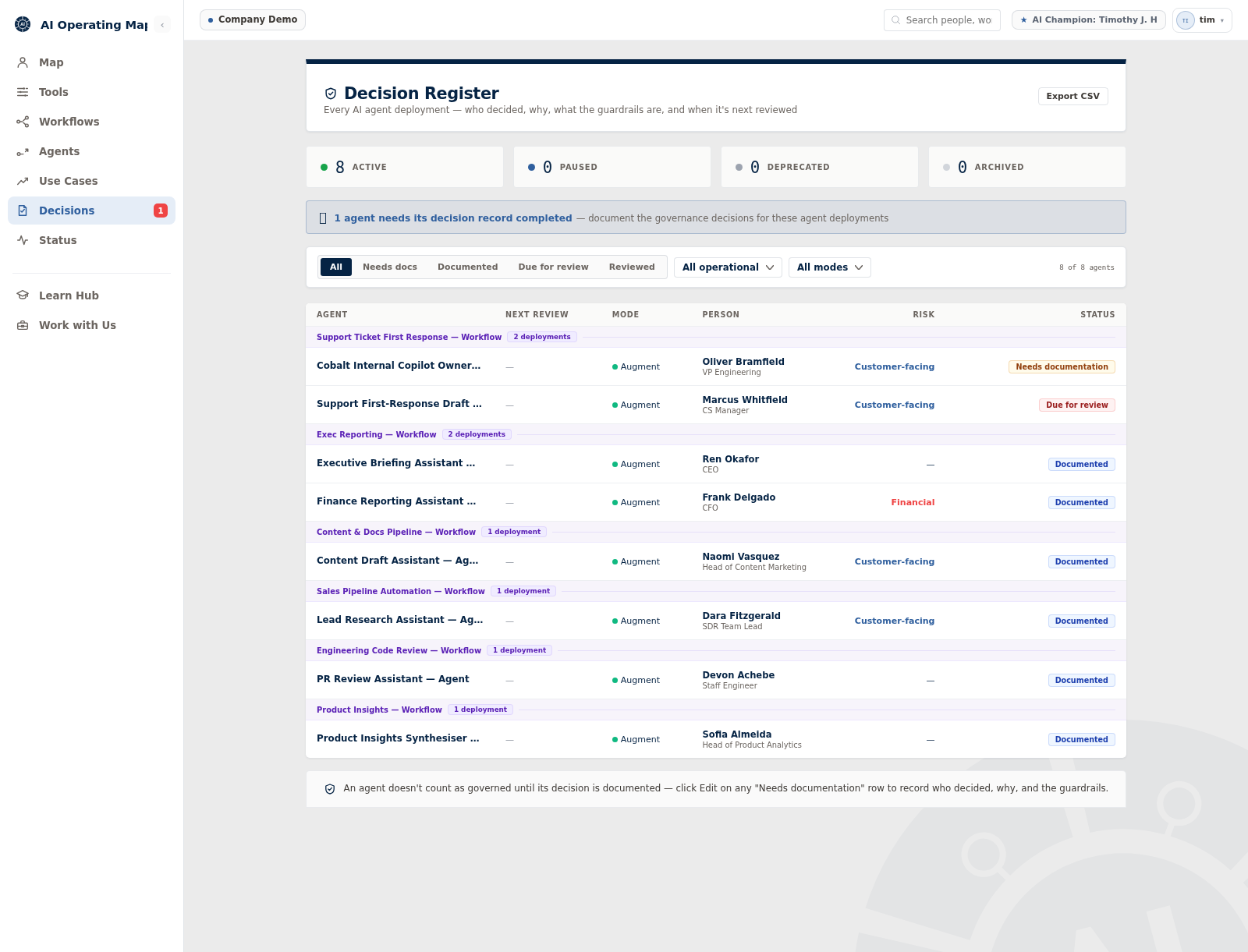
Governance, Risk & Security overview — real product screenshot, org name anonymised.
What the live view captures
Four things, rolled up across every map in the org.
If a board member or auditor asked how AI is governed here, could you hand them a live, shareable view right now, or would you need a week to build a slide deck first?
If not, that's exactly the gap Governance, Risk & Security closes — not eventually, the next time someone asks.
Be ready before the audit, not during it
Fifteen minutes to see how Governance, Risk & Security fits your reporting.
See pricing